stampwise

For employers of temporary foreign workers in Canada

Be ready the day Service Canada asks for six years of records.

Penalties under the Temporary Foreign Worker Program doubled to $10.2 million last year. Stampwise keeps every worker's file, pay, renewals and onboarding in one place, checks them against your LMIAs, and builds the inspection pack for you.

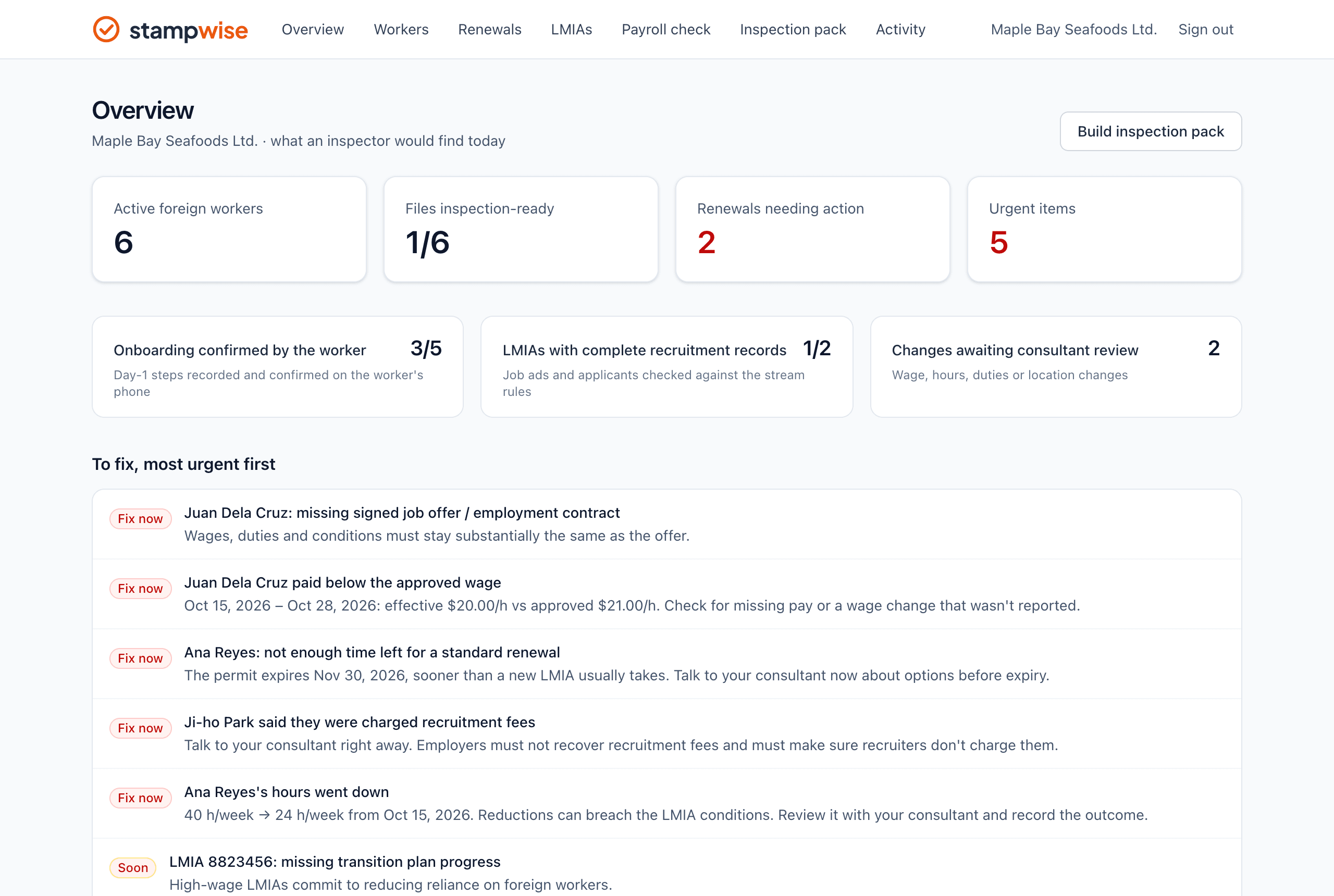
Stampwise overview: active workers, files inspection-ready, renewals needing action, and a list of issues to fix, most urgent first

The overview shows what an inspector would find today, most urgent first.

Everything an inspector asks for, kept as you go

Six tools that cover the records Service Canada reviews, from the job ad to the last pay stub.

Renewal planner

Know when every renewal has to start

Losing a trained worker because an LMIA was filed too late is the most expensive mistake. Stampwise works back from each permit's expiry, using the current advertising rules and processing times for that stream.

  • Dates to decide, advertise, file the LMIA and file the permit extension
  • Alerts before each step, escalating when you're late
  • Track progress so nothing slips between HR and your consultant
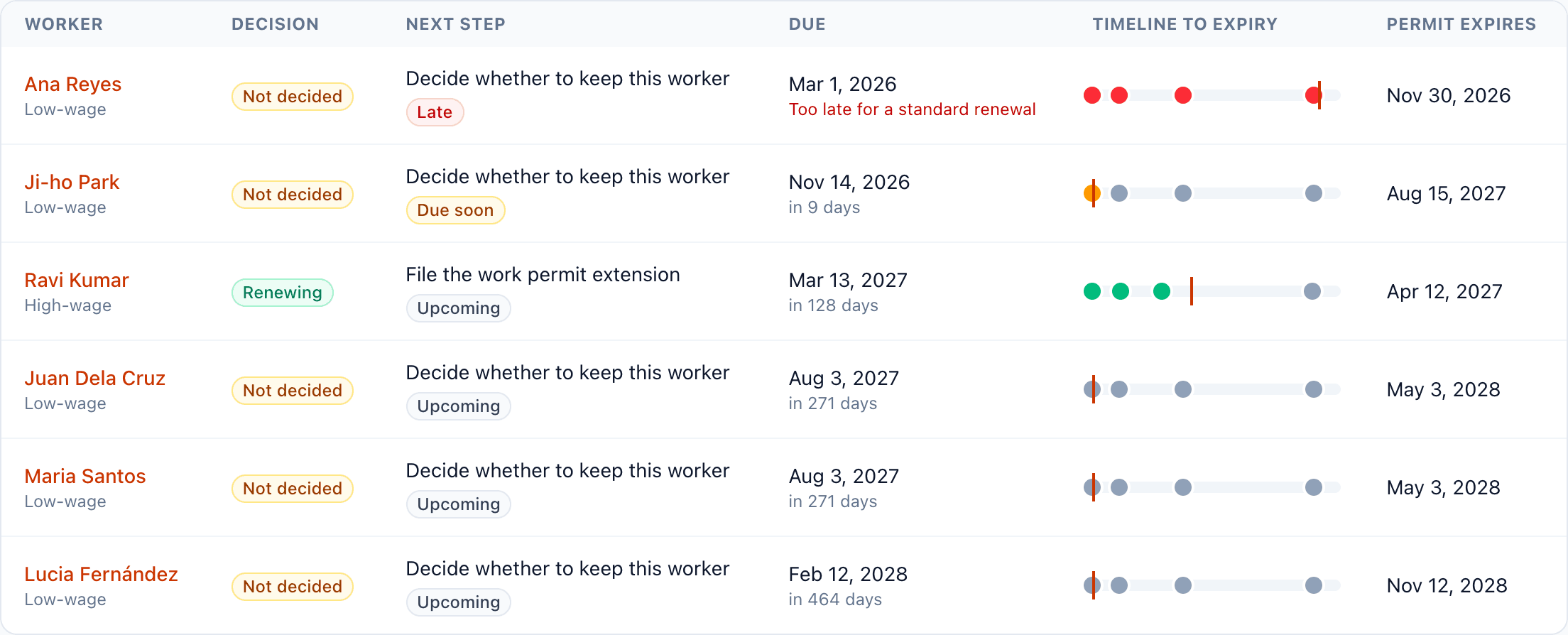
Renewals page listing each worker's next renewal step, due date and timeline to permit expiry

Payroll check

Catch underpayments before an inspector does

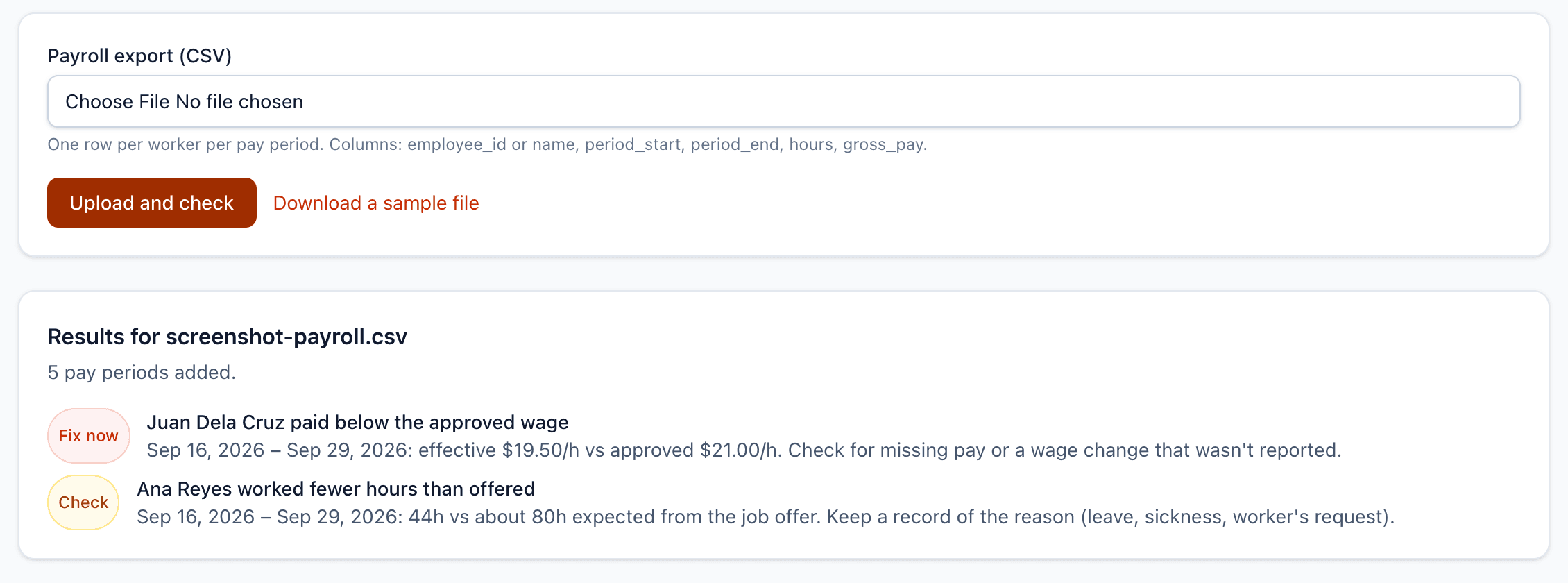
Upload your payroll export each pay run. Every foreign worker's effective hourly rate and hours are checked against their LMIA and job offer.

  • Works with a CSV from any payroll system
  • Flags pay below the approved wage, allowing for rounding
  • Flags hours well below what you offered, so you can record the reason
Payroll check results flagging one worker paid below the approved wage and another with fewer hours than offered

Day-1 onboarding

Prove what each worker got on day one, in their own words

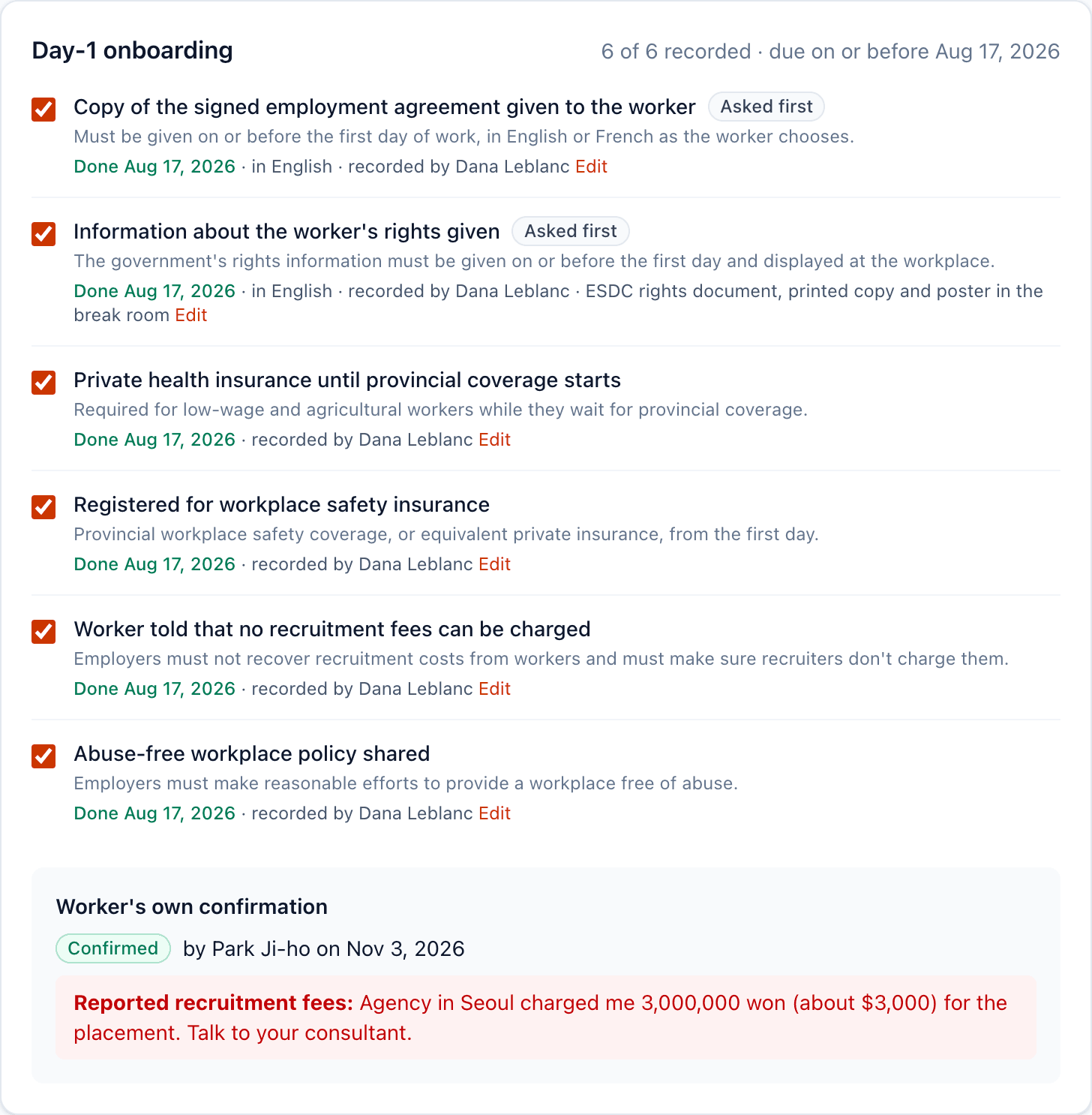
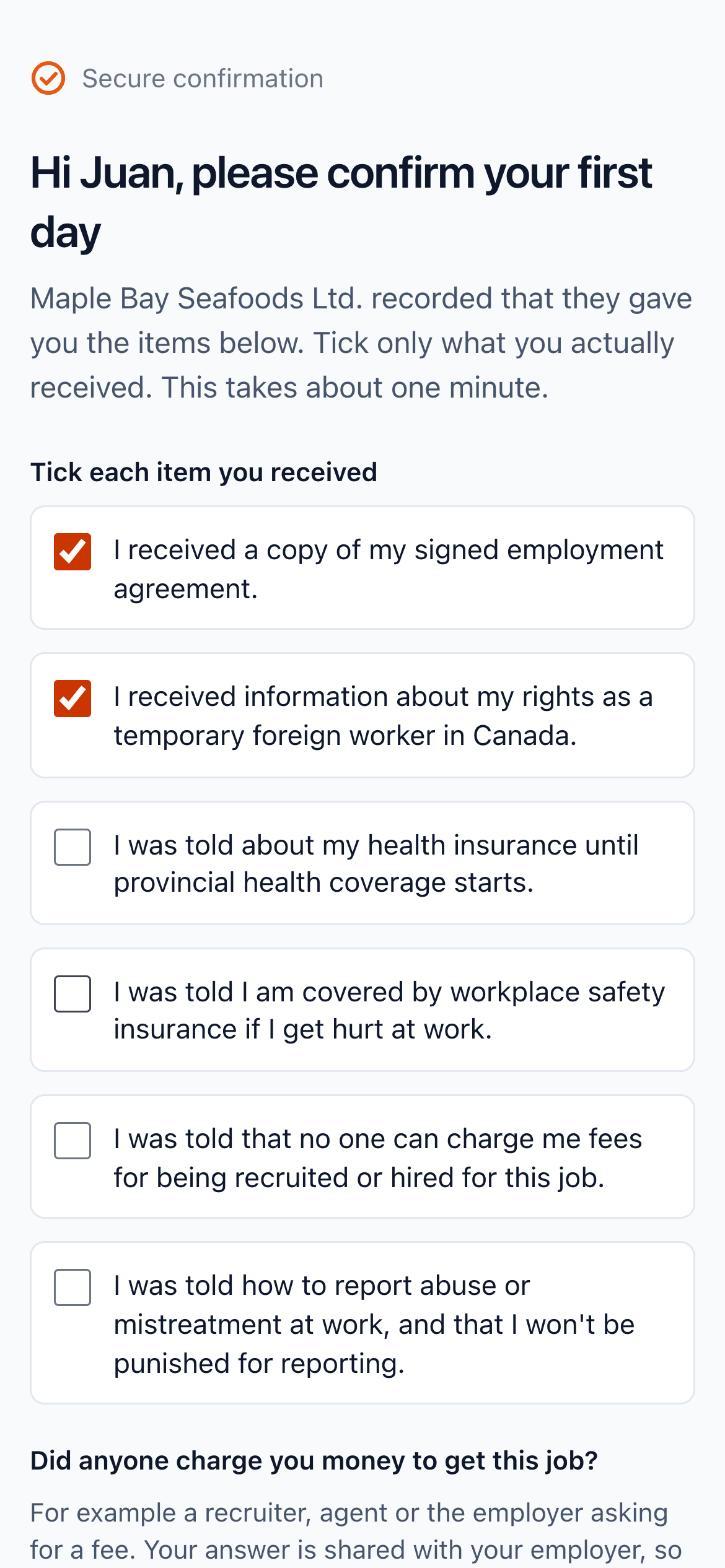
Inspectors ask whether the worker received their signed agreement and rights information on or before the first day. Record each step, then send the worker a private link to confirm on their phone.

  • Checklist built from the employer requirements, per stream
  • The worker confirms in a minute, no app or account needed
  • They're asked about recruitment fees, so you hear about a problem first
Day-1 onboarding checklist with every step recorded and the worker's confirmation, including a reported recruitment fee
The worker's phone confirmation page with items to tick and a question about recruitment fees

Recruitment evidence

Show the recruitment you described in your LMIA

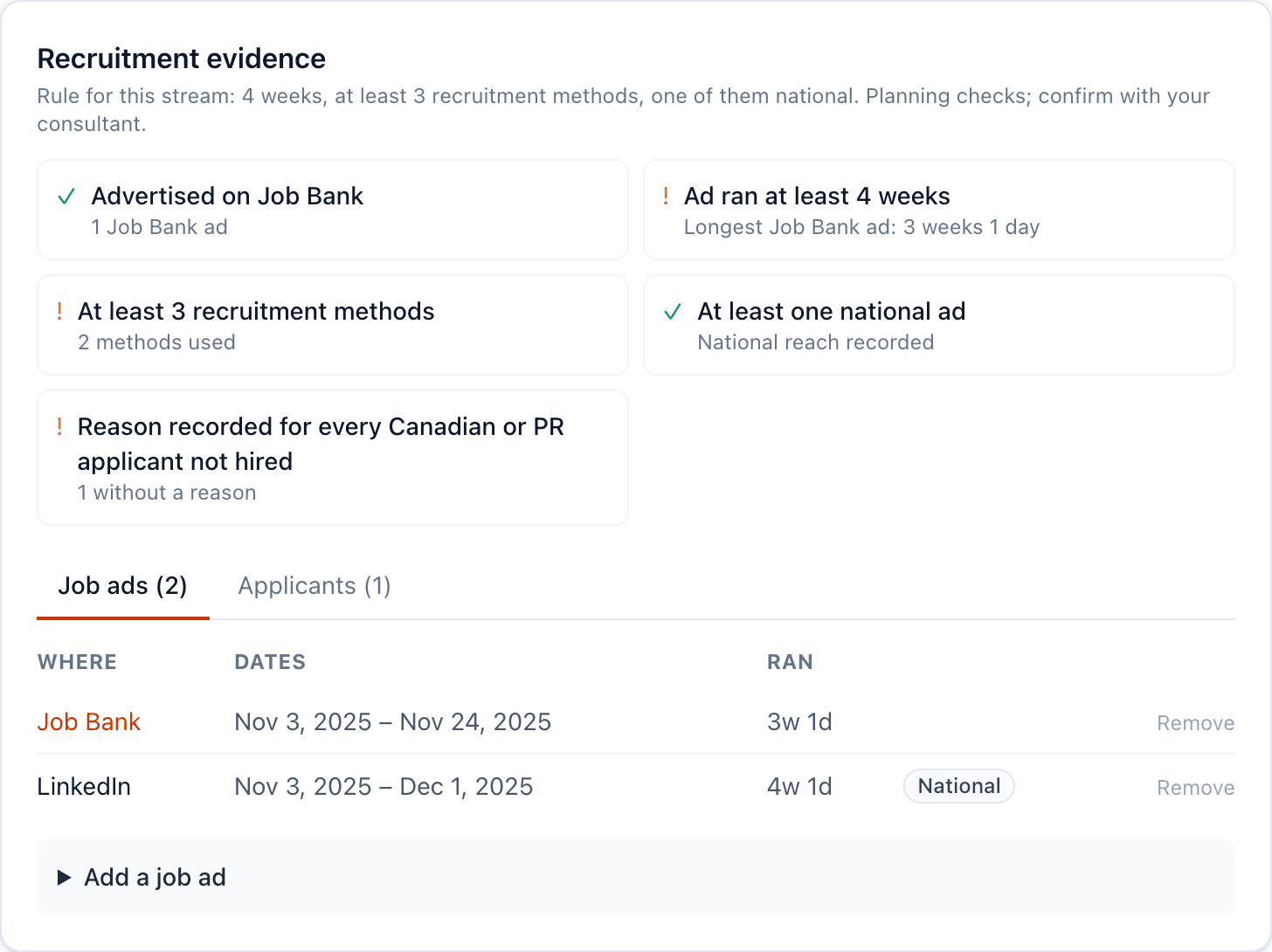
Record each job ad and every applicant. Stampwise checks them against the advertising rules for the stream and flags gaps before you apply again or face an inspection.

  • Job Bank, ad length, number of methods, national reach and youth outreach
  • A reason on file for every Canadian or permanent resident not hired
  • Exported with the LMIA in your inspection pack
Recruitment evidence for an LMIA with checks for Job Bank, ad length and methods, and a list of job ads

Change log

Every change to wages, hours or duties, explained

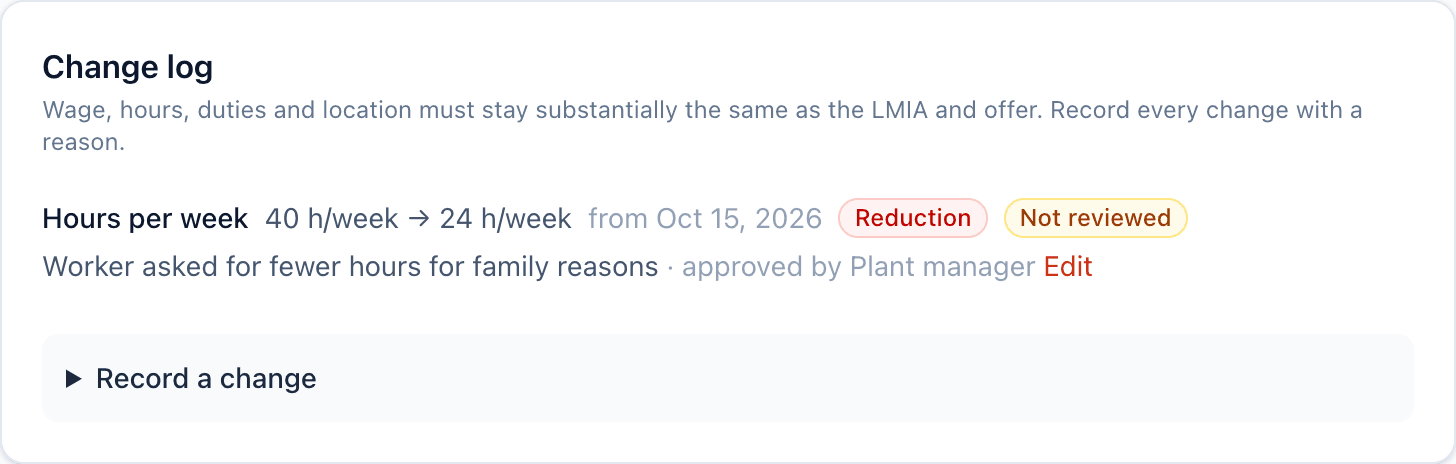
Conditions must stay substantially the same as the LMIA and job offer. When you edit a worker's terms, Stampwise records the change and asks for the reason and who approved it.

  • Changes are logged automatically when you edit a worker
  • Reductions in wage or hours are flagged straight away
  • Mark each change as reviewed with your consultant
Change log entry showing a worker's hours reduced from 40 to 24 a week, flagged as a reduction

Inspection pack and audit trail

Answer an inspection notice in minutes

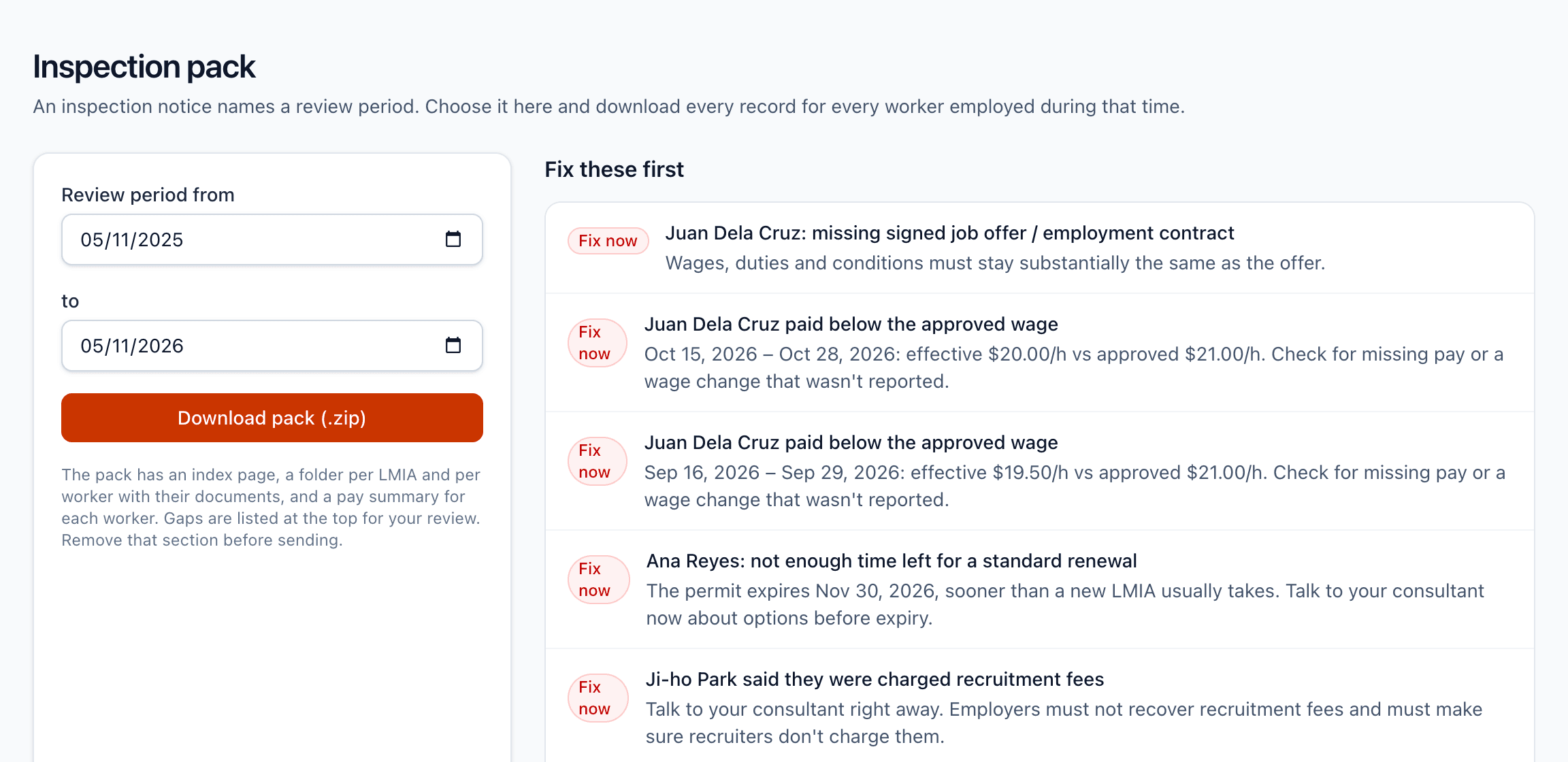
Choose the period the notice names and download every record for every worker employed then, organised by LMIA and worker. Every view, edit and download is logged.

  • Documents, pay summaries, onboarding, recruitment and change records in one zip
  • A gap list to review with your consultant before you send anything
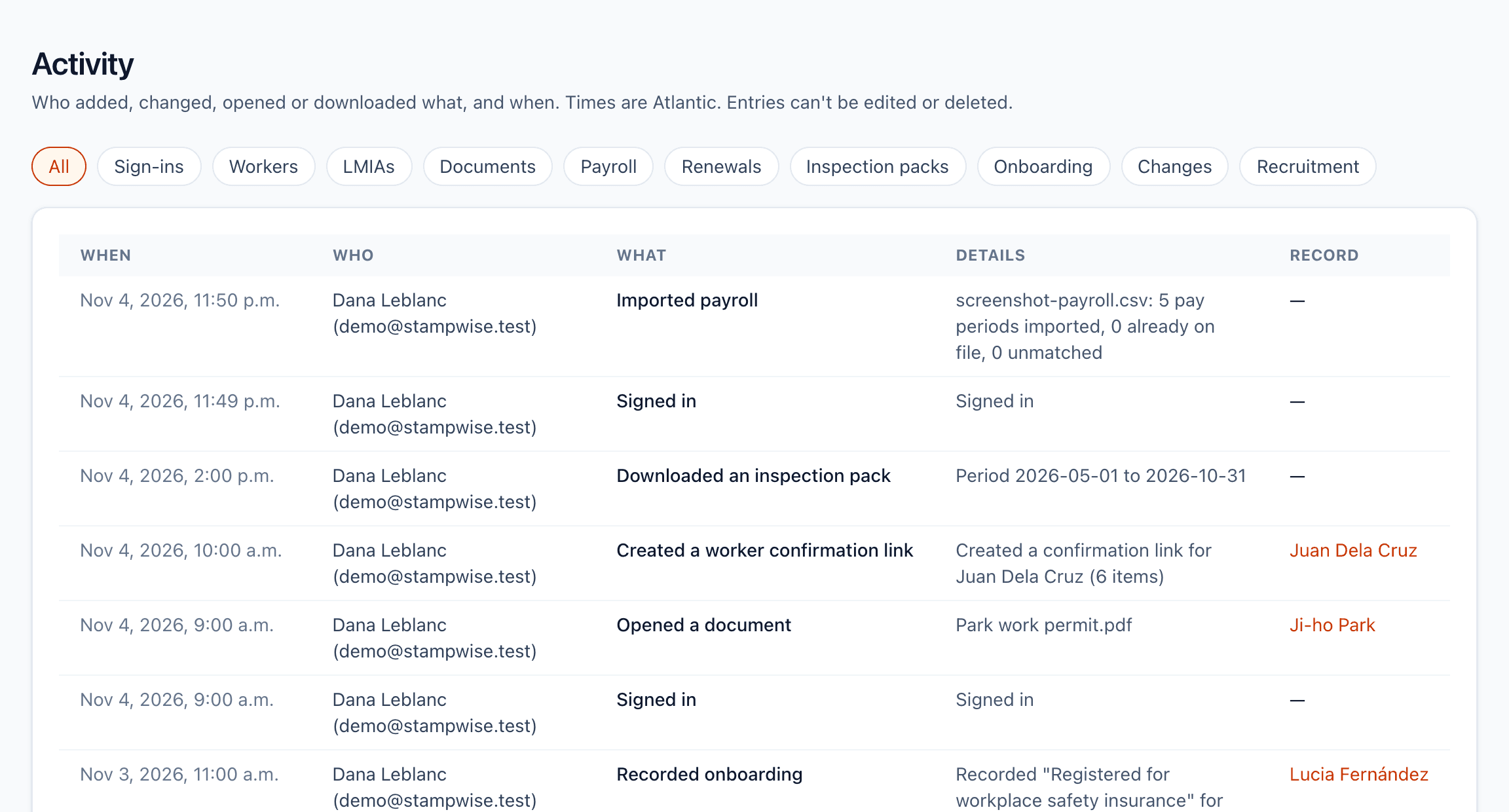
  • Activity log of who added, opened or downloaded what, and when
Inspection pack page where you choose the review period and see gaps to fix first
Activity log listing sign-ins, uploads, onboarding confirmations and downloads with times

Up and running in an afternoon

1

Add your LMIAs and workers

The wage, hours, duties and location you committed to, and each worker's permit dates. Upload the documents you already have.

2

Upload a pay run

Export a CSV from your payroll system. Stampwise matches each row to a worker and checks it against the LMIA.

3

Fix what's flagged

Work through the list, most urgent first. Renewal, onboarding and pay alerts keep coming as dates approach.

For employers

Farms, fish and meat plants, hotels, restaurants and care homes with foreign workers. One place for every file, and warnings before something goes wrong.

For immigration consultants

Clients who keep their records as they go, a clear list of gaps, and an inspection pack you can review before anything is sent.

See it with a real-looking file

The demo company has six workers, two LMIAs and a few problems to find.